
How your church uses Start Discipling
Pick one reading plan or course to do together and share a single join link. Your people start the same day, and your group leaders can see who is keeping up and who needs a call. It costs your church nothing.
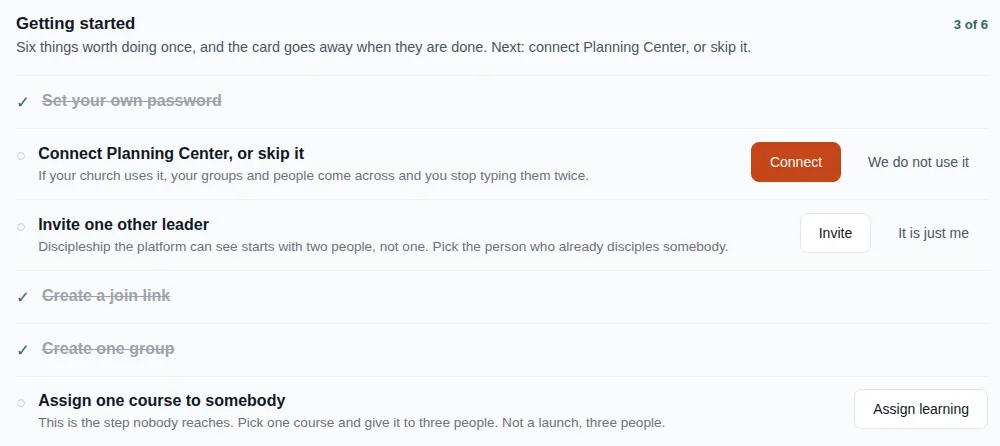
Getting started
Start small: one plan, a few people, one leader who already disciples somebody.
- Set up your churchYou get an admin area and a church page people can find at startdiscipling.com/at/your-church.
- Choose what to do togetherA Bible reading plan or a course from the library. One is plenty to begin with.
- Share one join linkOr connect Planning Center and bring your groups and people across.
- Hand it to your group leadersAssign the plan to a group and let the leader lead. The platform keeps track.
What your people see
Members sign in to MKDSCPLS (short for Make Disciples), the platform Start Discipling runs on. It works in any browser, on a phone or a laptop.
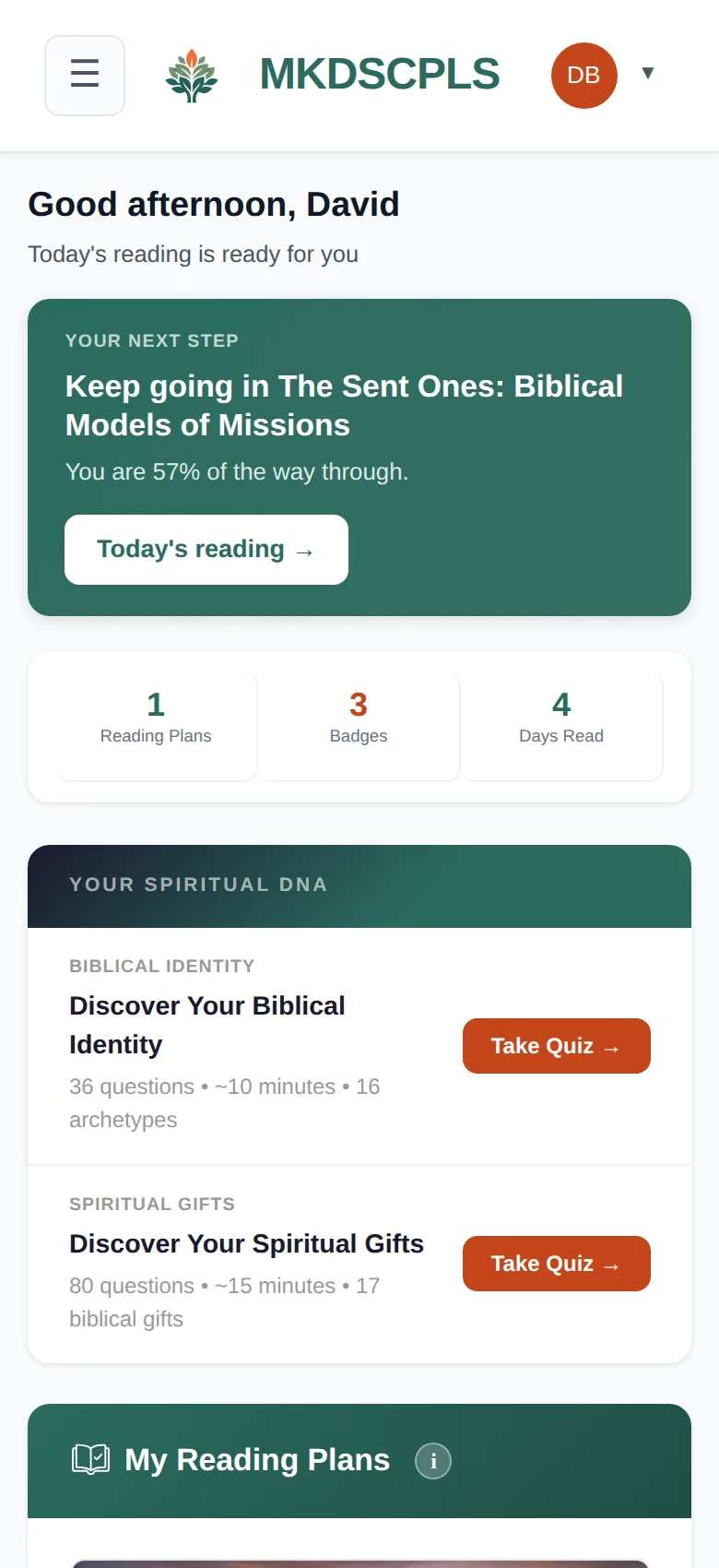
A clear next step every day
The dashboard puts today's reading at the top and shows what their group is working through. Gentle email reminders help people keep going without anyone having to chase them.
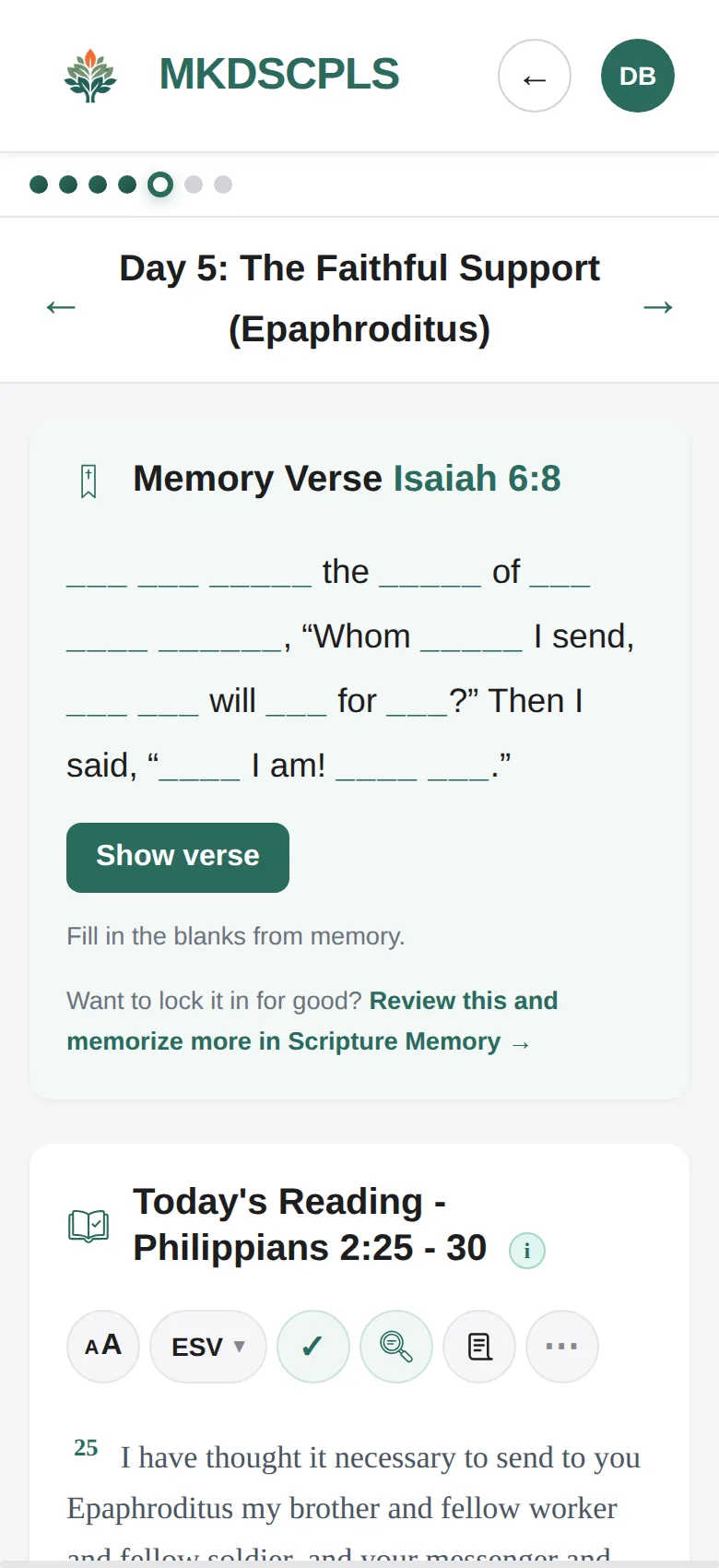
Scripture on the page, with questions to answer
Each day opens the full passage in the app, with reflection questions underneath. At the end of the reading, members can share what they noticed and reply to others in your church.
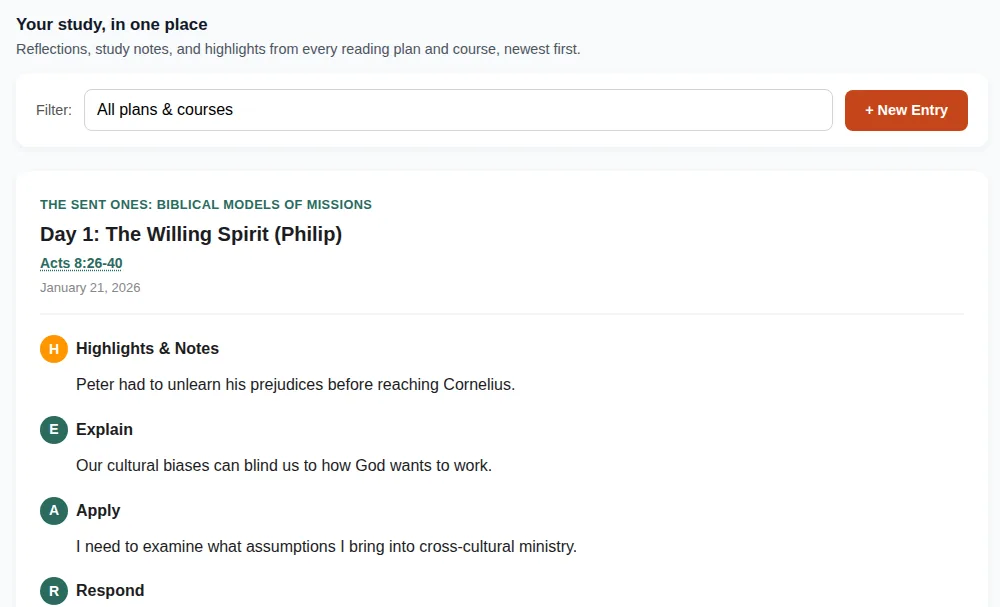
Study, not skim
Examine keeps every highlight, note and HEAR journal entry (Highlight, Explain, Apply, Respond) in one place, across every plan and course. Inside a reading plan, it walks people through observing the text, following cross-references and noting the context.
An AI research tool can help with word meanings and background, but it asks the reader to do the thinking.
What your leaders see
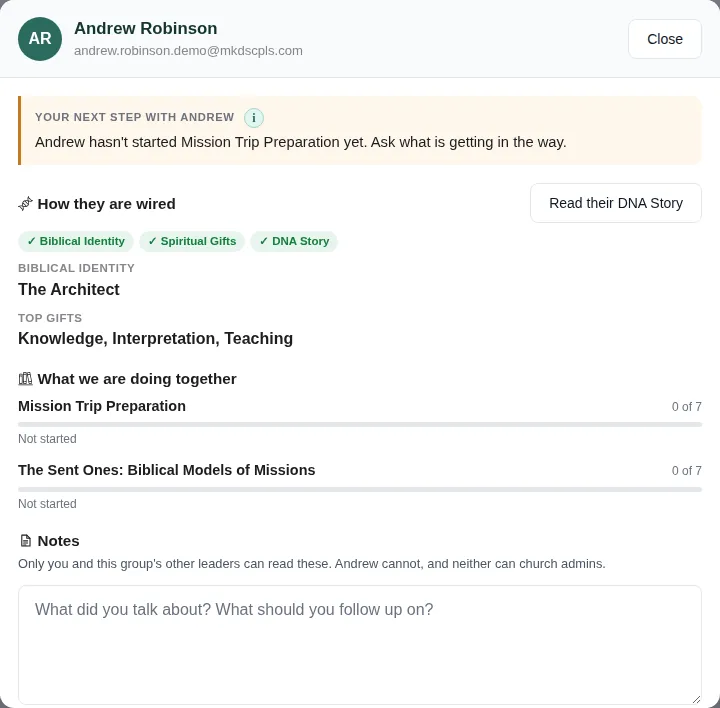
A group leader can open anyone in their group and see, on one screen:
- Where they areProgress in what the group is studying, and when they were last active.
- How they are wiredTheir Biblical Identity, Spiritual Gifts and DNA Story, if they have taken them.
- A suggested next stepFor example, "hasn't started yet, ask what is getting in the way."
- Private notesOnly the group's leaders can read them. Not the member, not church admins.
Also included
No add-ons and no tiers. Every church gets all of it.
- Biblical Identity and Spiritual GiftsTwo assessments and a DNA Story that ties them together. How leaders use them
- Growth you can seeCourses include a before and after assessment, so people see how they have changed. See the report
- Scripture memoryA personal verse list with spaced review, so verses come back when they are about to slip.
- Planning Center connectionIf your church uses it, your groups and people come across and you stop typing them twice.
- A church pageFeature the plans and courses you want people to start with. Find a church
- Groups your leaders runMeeting details, a weekly plan, and one place to see the whole group.
Start with one plan and a few people
Set up your church page, pick something to read together, and invite the people you already walk with.